Laso mark laso

Spend your crypto
privately.

Brand Kit v1.0 · June 2026 laso.finance

01 — Logo

The mark & wordmark

Laso pairs a layered triangular mark with the lowercase wordmark laso, always set in PT Mono Bold. Use the full lockup wherever space allows; the mark alone is reserved for avatars, app icons, and tight spaces.

laso
Primary lockupon light
laso
Reversed lockupon dark

The mark, standalone · click to download SVG

Laso mark, ink
mark-ink.svg
Laso mark, white
mark-white.svg

Clear space

Keep padding of at least the mark's half-height clear on all sides. Never crowd the logo with other elements.

Don't

  • Recolor the mark outside black, white, or Laso blue.
  • Set the wordmark in any font other than PT Mono.
  • Capitalize, italicize, or letter-space the wordmark.
  • Add shadows, outlines, or gradients to the mark.
  • Stretch, rotate, or distort the proportions.

Download assets

Mark — inkSVG Mark — white (reversed)SVG PT Mono Bold — wordmark fontTTF Virtual card renderPNG

02 — Color

Palette

Ink black anchors the brand; Laso blue is the single primary action color and money green signals balances and success. Everything else is a calm neutral gray scale.

Ink
#171923
Wordmark, virtual card, dark surfaces
Laso Blue
#3182CE
Primary action & highlight
Money Green
#48BB78
Balances, deposits, success
Page
#F7FAFC
App background

Blue — primary action

50
100
200
300
400
500
600
700
800
900

Green — money & success

50
100
200
300
400
500
600
700

Neutral gray

50
100
200
300
400
500
600
700
800
900

03 — Typography

Two families

PT Mono is the brand signature — the wordmark, numbers, and the entire developer console. A neutral system sans carries all product and marketing copy.

Signature · wordmark, numbers, consolePT Mono Bold
laso · $1,248.00
AaBbCc 0123456789 — § № ▌ $ %
Product & marketing · UI, body, headingsSystem Sans
Spend crypto privately
Regular 400 Medium 500 Semibold 600 Bold 700 Extra 800

04 — In use

Card & voice

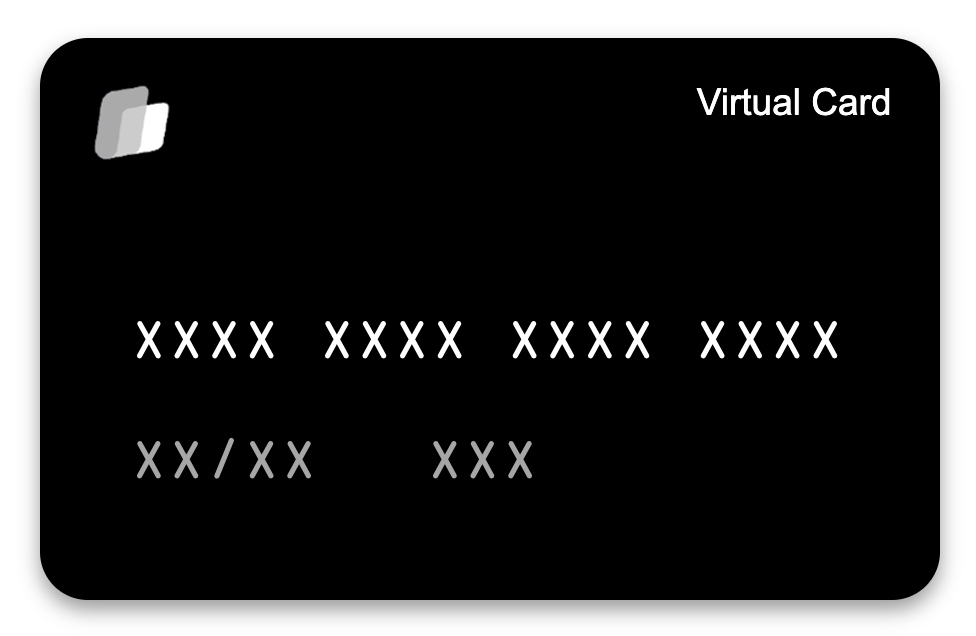
Laso virtual card

05 — On dark

Working on dark surfaces

Marketing and product surfaces alternate between white and ink (#171923) sections. On dark, text inverts to white and the palette softens to translucent whites. The one rule people miss: the blue accent gets lighter — swap Laso Blue 500 for Blue 300 so it stays legible against ink.

Prepaid card

Spend in 100+ countries

Add to Apple Pay or Google Pay and tap to pay anywhere.

Get started
Same cardon light

Prepaid card

Spend in 100+ countries

Add to Apple Pay or Google Pay and tap to pay anywhere.

Get started
Same cardon dark
Role
On light
On dark
Surface
Gray 50 / White
Ink #171923 / #0F1117
Heading
Gray 900
White
Body
Gray 600
White 70%
Muted / captions
Gray 400
White 50%
Accent
Blue 500
Blue 300 — lighter
Card fill / border
White / Gray 200
White 4% / 10%

For atmosphere on ink, use a faint white grid overlay (~4% opacity, 60px) and a single blurred blue glow (Blue 400, ~6–10% opacity). One glow per section, never more.

06 — Agent surface

The agent sub-brand

Our agent-facing surfaces (laso ⁄ agents) speak a different dialect of the same brand: an operations console set entirely in PT Mono, on the darkest ink, with sharp 2px corners and § / markers. It is built for machines reading a payment-gated API, not people browsing a marketing page.

▢ issue № 001 laso ⁄ agents 1,204 agents online
agent

A card, gift code, or debit payout — issued with a single prompt. No API keys, no monthly plans, no human in the loop. Agents pay per call in USDC over x402 and MPP.

agents.laso.finance
$ curl https://laso.finance/get-card?amount=50
402 Payment Required
→ pay 50 USDC on Base, retry with x-payment header
$ agent signs · settles · retries
200 OK
{ "card_id": "crd_8f2a…" }
card issued · 1.4s · zero human input

Agent surface uses

The agent dialect — PT Mono throughout, 2px corners, §/ markers, the live-dot counter — is reserved for /agent, the agent dashboard, and API/developer docs.


Don't

  • Mix the mono console styling into consumer product or marketing pages.
  • Set agent surfaces in the system sans — they are mono end to end.
  • Round the agent UI to 16px; keep its corners sharp at 2px.
  • Animate the live-dot or terminal in print or static exports.